Getting Started with Kimi K2.5: A Practical Developer's Guide
Kimi K2.5 isn't just another open-source model—it's a practical tool for building production-ready AI applications. Whether you're building visual coding agents, automating research tasks, or creating multimodal interfaces, K2.5 provides the capabilities you need without the closed-source lock-in.
This guide will walk you through everything you need to start building with Kimi K2.5 today, from API setup to deploying your first agent swarm.

Choosing Your Access Method
Kimi K2.5 offers multiple ways to get started, depending on your use case and infrastructure:
Option 1: Hosted APIs (Fastest to Start)
Best for: Quick prototyping, MVPs, and teams without GPU infrastructure
| Platform | Speed | Strength |
|---|---|---|
| Moonshot AI Platform | 60-100 tok/s | Official API, first access to features |
| Fireworks AI | Up to 200 tok/s | Fastest inference, full-parameter RL tuning |
| Together AI | ~100 tok/s | Long-context optimization, 128K+ tokens |
| NVIDIA NIM | ~120 tok/s | Enterprise deployment, GPU acceleration |
| OpenRouter | Varies | Unified API across providers |
Option 2: Local Deployment (Full Control)
Best for: Data privacy, custom fine-tuning, cost optimization at scale
Hardware Requirements:
- Minimum: Dual M3 Ultra Mac Studios (512GB RAM each) or equivalent GPU cluster
- Recommended: 4x A100 80GB or 8x H100 for production workloads
- Quantized: Can run on ~128GB RAM with INT4 quantization (minor performance trade-off)
Option 3: Kimi Code (Developer Tools)
Best for: Individual developers, IDE integration, local development
- Terminal CLI tool
- VS Code / Cursor / Zed extensions
- Image and video input support
- Open-source: github.com/MoonshotAI/kimi-cli
Quick Start: API Integration in 5 Minutes
The Kimi API is fully compatible with the OpenAI SDK, making migration painless:
Step 1: Install the SDK
pip install openaiStep 2: Initialize the Client
from openai import OpenAI

client = OpenAI(
    api_key="your-moonshot-api-key",  # Get from platform.moonshot.ai
    base_url="https://api.moonshot.cn/v1"
)
Step 3: Your First Request
response = client.chat.completions.create(
    model="kimi-k2-thinking",
    messages=[
        {
            "role": "system",
            "content": "You are Kimi, an AI assistant by Moonshot AI."
        },
        {
            "role": "user",
            "content": "Explain what makes K2.5 different from other models."
        }
    ],
    temperature=0.6,
)

print(response.choices[0].message.content)
That's it! You're now using Kimi K2.5.
Working with Vision: Image and Video Understanding
One of K2.5's standout features is native multimodality—it doesn't just "see" images, it reasons across them with spatial awareness.
Image Analysis Example
import base64
from openai import OpenAI

client = OpenAI(
    api_key="your-moonshot-api-key",
    base_url="https://api.moonshot.cn/v1"
)

def encode_image(image_path):
    with open(image_path, "rb") as image_file:
        return base64.b64encode(image_file.read()).decode('utf-8')

base64_image = encode_image("screenshot.png")

response = client.chat.completions.create(
    model="moonshotai/Kimi-K2.5",
    messages=[
        {
            "role": "user",
            "content": [
                {
                    "type": "text",
                    "text": "Analyze this UI mockup and generate the HTML/CSS to recreate it. Focus on responsive design and modern CSS features."
                },
                {
                    "type": "image_url",
                    "image_url": {
                        "url": f"data:image/png;base64,{base64_image}"
                    }
                }
            ]
        }
    ],
    max_tokens=4096
)

print(response.choices[0].message.content)
Video Understanding Example
response = client.chat.completions.create(
    model="moonshotai/Kimi-K2.5",
    messages=[
        {
            "role": "user",
            "content": [
                {
                    "type": "text",
                    "text": "Watch this screen recording and extract the user flow. Then create a step-by-step implementation guide."
                },
                {
                    "type": "image_url",
                    "image_url": {
                        "url": "https://example.com/demo-video.mp4"
                    }
                }
            ]
        }
    ],
    temperature=0.3
)
Building Your First Agent Swarm
The Agent Swarm feature is what makes K2.5 revolutionary for automation. Instead of manually orchestrating multiple agents, K2.5 can spawn and coordinate up to 100 sub-agents automatically.
Example: Parallel Research Task
def research_with_swarm(client, topic):
    """
    K2.5 will automatically spawn multiple agents to:
    1. Search for recent papers
    2. Analyze market trends
    3. Identify key competitors
    4. Synthesize findings
    """
    prompt = f"""
    Research the topic: {topic}

    Break this down into parallel subtasks and have multiple agents work on them simultaneously.
    Then merge all findings into a comprehensive report with citations.
    """

    response = client.chat.completions.create(
        model="moonshotai/Kimi-K2.5",
        messages=[
            {
                "role": "system",
                "content": "You are an expert research coordinator. Use agent swarm mode to parallelize tasks."
            },
            {
                "role": "user",
                "content": prompt
            }
        ],
        temperature=0.4,
        max_tokens=8192
    )

    return response.choices[0].message.content

# Usage
report = research_with_swarm(
    client,
    "Latest developments in multimodal AI agents for 2026"
)
print(report)
What happens under the hood:
- K2.5 decomposes the task into ~20-30 subtasks
- Spawns specialized agents for each (web search, analysis, synthesis)
- Agents work in parallel, making up to 1,500 tool calls
- Results are merged into a cohesive output
- Total time: ~4.5x faster than sequential execution
Real-World Example: Visual Debugging Agent
Here's a practical example of using K2.5's visual capabilities for automated debugging:
def visual_debugger(client, screenshot_path, bug_description):
    """
    K2.5 analyzes a screenshot, identifies UI issues,
    and generates fixes with pixel-perfect precision.
    """
    base64_image = encode_image(screenshot_path)

    response = client.chat.completions.create(
        model="moonshotai/Kimi-K2.5",
        messages=[
            {
                "role": "system",
                "content": """You are a visual debugging expert.
                Analyze screenshots, identify UI/layout issues, and provide fixes.
                Include specific CSS/HTML changes with line numbers."""
            },
            {
                "role": "user",
                "content": [
                    {
                        "type": "text",
                        "text": f"Bug Report: {bug_description}\n\nAnalyze this screenshot and provide a fix."
                    },
                    {
                        "type": "image_url",
                        "image_url": {"url": f"data:image/png;base64,{base64_image}"}
                    }
                ]
            }
        ],
        temperature=0.2
    )

    return response.choices[0].message.content

# Usage
fix = visual_debugger(
    client,
    "button-alignment-bug.png",
    "The 'Submit' button is misaligned on mobile devices"
)
print(fix)
Output example:
/* Fix for button alignment issue */
.button-container {
    display: flex;
    justify-content: center;
    align-items: center;
    gap: 1rem;
    padding: 1rem;
}

@media (max-width: 768px) {
    .button-container {
        flex-direction: column;
        width: 100%;
    }
}
Integration Patterns for Common Use Cases
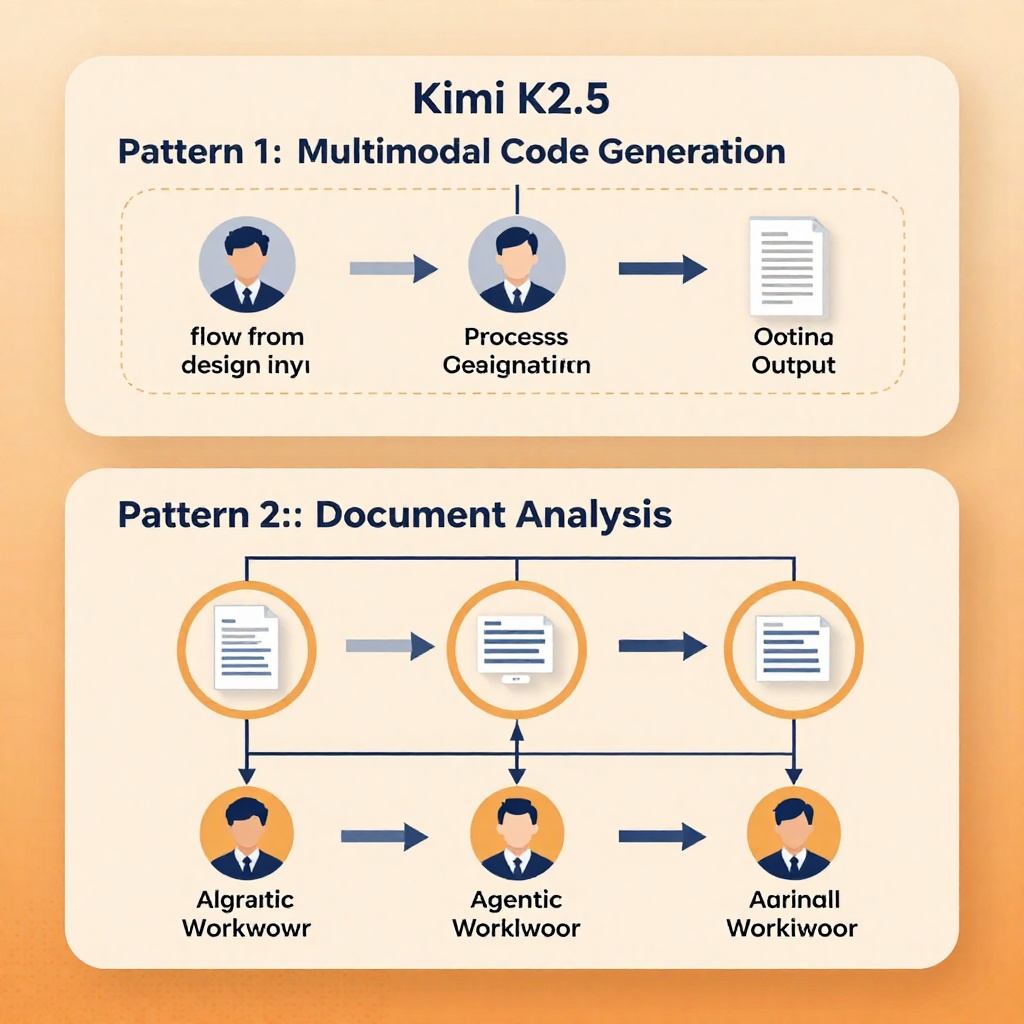
Pattern 1: Multimodal Code Generation
def design_to_code(client, design_image_path):
    """Convert UI mockups directly to production code"""
    base64_image = encode_image(design_image_path)

    response = client.chat.completions.create(
        model="moonshotai/Kimi-K2.5",
        messages=[
            {
                "role": "user",
                "content": [
                    {
                        "type": "text",
                        "text": """Generate a complete React component for this design.
                        Requirements:
                        - Use Tailwind CSS
                        - Include responsive design
                        - Add accessibility attributes
                        - Include TypeScript types
                        - Write clean, production-ready code"""
                    },
                    {
                        "type": "image_url",
                        "image_url": {"url": f"data:image/png;base64,{base64_image}"}
                    }
                ]
            }
        ],
        temperature=0.3,
        max_tokens=4096
    )

    return response.choices[0].message.content
Pattern 2: Document Analysis with Extraction
def analyze_document(client, document_path, extraction_goal):
    """Analyze complex documents (PDFs, spreadsheets, images)"""
    base64_doc = encode_image(document_path)

    response = client.chat.completions.create(
        model="moonshotai/Kimi-K2.5",
        messages=[
            {
                "role": "system",
                "content": "You are an expert document analyst. Extract structured data from unstructured inputs."
            },
            {
                "role": "user",
                "content": [
                    {
                        "type": "text",
                        "text": f"""Extract the following from this document:
                        {extraction_goal}

                        Return results in JSON format."""
                    },
                    {
                        "type": "image_url",
                        "image_url": {"url": f"data:image/png;base64,{base64_doc}"}
                    }
                ]
            }
        ],
        temperature=0.1
    )

    return response.choices[0].message.content

# Usage
financial_data = analyze_document(
    client,
    "financial_report.png",
    "Extract all revenue figures, quarter-over-quarter growth, and key metrics"
)
Pattern 3: Agentic Workflow Automation
def automate_workflow(client, workflow_description):
    """Let K2.5 design and execute a complex workflow"""
    response = client.chat.completions.create(
        model="moonshotai/Kimi-K2.5",
        messages=[
            {
                "role": "system",
                "content": """You are a workflow automation expert.
                Design efficient workflows, break them into parallel tasks,
                and coordinate agent swarms for execution."""
            },
            {
                "role": "user",
                "content": f"""
                Workflow: {workflow_description}

                Please:
                1. Break this down into optimal subtasks
                2. Identify which can run in parallel
                3. Design the agent coordination strategy
                4. Execute and report results
                """
            }
        ],
        temperature=0.4,
        max_tokens=8192
    )

    return response.choices[0].message.content

# Example: Automating a content pipeline
results = automate_workflow(
    client,
    """
    Create a content publishing pipeline that:
    1. Monitors 50 tech news sources
    2. Summarizes top 10 stories daily
    3. Generates social media posts
    4. Creates newsletter drafts
    5. Schedules posts for optimal times
    """
)
Best Practices for Production Deployments
1. Error Handling and Retries
import time
from openai import OpenAI, APITimeoutError, RateLimitError

client = OpenAI(
    api_key="your-api-key",
    base_url="https://api.moonshot.cn/v1",
    timeout=30.0,
    max_retries=2
)

def robust_completion(client, messages, max_retries=3):
    """Robust completion with exponential backoff"""
    for attempt in range(max_retries):
        try:
            response = client.chat.completions.create(
                model="moonshotai/Kimi-K2.5",
                messages=messages,
                temperature=0.6
            )
            return response.choices[0].message.content

        except RateLimitError:
            if attempt < max_retries - 1:
                wait_time = 2 ** attempt  # Exponential backoff
                time.sleep(wait_time)
                continue
            raise

        except APITimeoutError:
            if attempt < max_retries - 1:
                time.sleep(1)
                continue
            raise

    raise Exception("Max retries exceeded")
2. Cost Optimization
def choose_model(task_complexity, token_budget):
    """Select the right model variant based on task"""

    if token_budget < 1000:
        return "kimi-k2-turbo"  # Fast, cheap
    elif task_complexity == "high":
        return "kimi-k2-thinking"  # Best reasoning
    else:
        return "moonshotai/Kimi-K2.5"  # Full capabilities

# Usage
model = choose_model(
    task_complexity="high",
    token_budget=5000
)

response = client.chat.completions.create(
    model=model,
    messages=[...],
    max_tokens=token_budget
)
3. Response Caching
import hashlib
import json

def cache_key(messages, model):
    """Generate cache key from messages"""
    content = json.dumps(messages, sort_keys=True) + model
    return hashlib.sha256(content.encode()).hexdigest()

# Simple in-memory cache (use Redis in production)
response_cache = {}

def cached_completion(client, messages, model):
    key = cache_key(messages, model)

    if key in response_cache:
        print("✓ Using cached response")
        return response_cache[key]

    response = client.chat.completions.create(
        model=model,
        messages=messages
    )

    result = response.choices[0].message.content
    response_cache[key] = result

    return result
4. Streaming for Long Responses
def stream_completion(client, messages):
    """Stream responses for real-time user feedback"""
    stream = client.chat.completions.create(
        model="moonshotai/Kimi-K2.5",
        messages=messages,
        stream=True
    )

    full_response = ""
    for chunk in stream:
        if chunk.choices[0].delta.content:
            content = chunk.choices[0].delta.content
            full_response += content
            print(content, end="", flush=True)  # Real-time output

    return full_response
Common Pitfalls and How to Avoid Them
Pitfall 1: Overlooking Token Limits
Problem: K2.5 supports up to 128K context, but billing is per-token.
Solution:
def estimate_tokens(text):
    """Rough token estimation (1 token ≈ 0.75 words)"""
    return len(text.split()) * 1.3

def truncate_context(messages, max_tokens=100000):
    """Truncate messages to fit context window"""
    total_tokens = sum(estimate_tokens(m['content']) for m in messages)

    if total_tokens <= max_tokens:
        return messages

    # Keep system prompt and recent messages
    system_msg = [m for m in messages if m['role'] == 'system']
    user_msgs = [m for m in messages if m['role'] != 'system']

    # Trim from oldest
    while user_msgs and sum(estimate_tokens(m['content']) for m in system_msg + user_msgs) > max_tokens:
        user_msgs.pop(0)

    return system_msg + user_msgs
Pitfall 2: Ignoring Vision Token Costs
Problem: Images consume significant tokens (high-res images can cost 10K+ tokens).
Solution:
def optimize_image_size(image_path, max_dimension=1024):
    """Resize images to reduce token cost"""
    from PIL import Image

    img = Image.open(image_path)
    img.thumbnail((max_dimension, max_dimension))

    optimized_path = image_path.replace('.', '_optimized.')
    img.save(optimized_path, quality=85)

    return optimized_path
Pitfall 3: Not Using Agent Swarm for Parallel Tasks
Problem: Running sequential tasks when parallelization would be faster.
Solution: Let K2.5 decide how to parallelize:
def smart_task_execution(client, tasks):
    """Let K2.5 plan optimal execution strategy"""

    planning_prompt = f"""
    I have these tasks to complete:
    {json.dumps(tasks, indent=2)}

    Plan the optimal execution strategy:
    1. Which tasks can run in parallel?
    2. What's the optimal order?
    3. How should agent swarms be coordinated?

    Return a JSON execution plan.
    """

    plan = client.chat.completions.create(
        model="moonshotai/Kimi-K2.5",
        messages=[{"role": "user", "content": planning_prompt}],
        temperature=0.2
    )

    return json.loads(plan.choices[0].message.content)
Testing and Validation
Before deploying to production, validate your integration:
1. Unit Test Your Prompts
def test_visual_analysis():
    """Test vision capabilities"""
    result = visual_debugger(
        client,
        "test_screenshot.png",
        "Test bug report"
    )

    assert "fix" in result.lower()
    assert "css" in result.lower() or "html" in result.lower()
    print("✓ Visual analysis test passed")

def test_agent_swarm():
    """Test parallel execution"""
    start_time = time.time()

    result = research_with_swarm(
        client,
        "Test research topic"
    )

    elapsed = time.time() - start_time
    assert elapsed < 60  # Should complete in under 60 seconds
    assert len(result) > 500  # Substantial output
    print("✓ Agent swarm test passed")
2. Benchmark Performance
import time

def benchmark_model(client, test_cases):
    """Benchmark latency and quality"""
    results = []

    for test_case in test_cases:
        start = time.time()

        response = client.chat.completions.create(
            model="moonshotai/Kimi-K2.5",
            messages=test_case["messages"]
        )

        elapsed = time.time() - start
        results.append({
            "test": test_case["name"],
            "latency": elapsed,
            "tokens": response.usage.total_tokens,
            "tokens_per_second": response.usage.total_tokens / elapsed
        })

    return results
Next Steps
You now have everything you need to start building with Kimi K2.5:
- Sign up at platform.moonshot.ai for API access
- Clone Kimi Code for local development
- Explore the official documentation for advanced features
- Join the community on Hugging Face for model updates
Recommended Learning Path
| Stage | Focus | Resources |
|---|---|---|
| Week 1 | Basic API integration | This guide, official docs |
| Week 2 | Vision & multimodal tasks | Image/video examples |
| Week 3 | Agent swarms | Parallel execution patterns |
| Week 4 | Production optimization | Caching, error handling, monitoring |
Conclusion
Kimi K2.5 represents a new paradigm for open-source AI: it's not just about impressive benchmarks, but about practical capabilities you can build into real applications. From native multimodality to self-directed agent swarms, K2.5 provides the tools to move beyond simple chatbots toward true AI-powered automation.
The key is to start simple: integrate the API, experiment with vision capabilities, and gradually adopt more advanced features like agent swarms as your use cases demand. The open-source nature means you can iterate quickly, fine-tune for your needs, and deploy without vendor lock-in.
Ready to build? The Kimi K2.5 ecosystem is waiting.
Additional Resources:
- Official API Documentation
- Kimi Code GitHub Repository
- Hugging Face Model Card
- Fireworks AI Integration Guide
- Community Discord
More on Kimik25: